
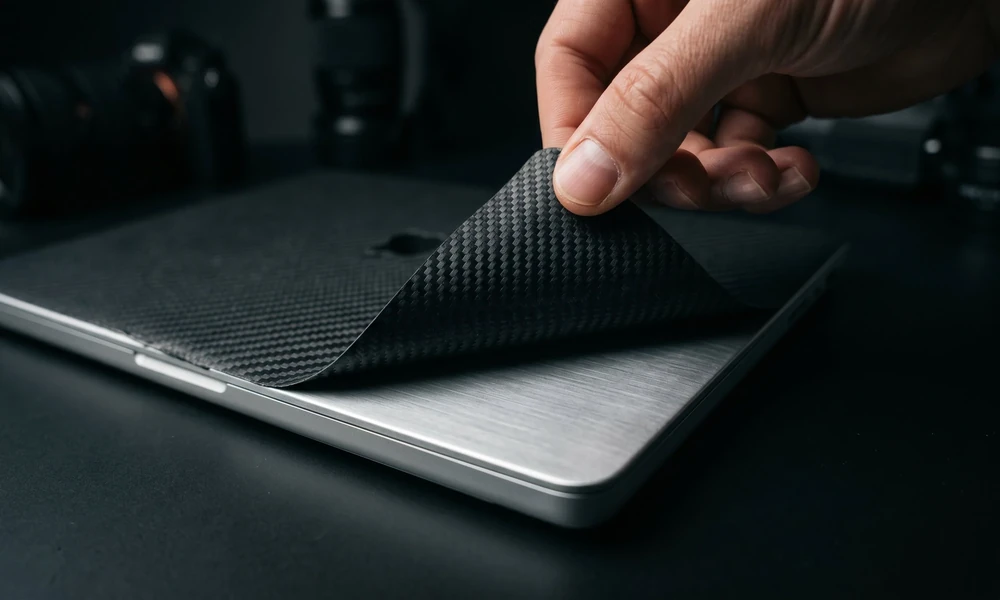
MacBook Pro owners often look for simple ways to personalize their devices, and custom skins offer an easy way to refresh the look without making permanent changes. One of the most common questions is whether the adhesive used on laptop skins can distort the original finish.
Not all adhesives are the same, so choosing a quality skin makes a big difference. The type of vinyl and adhesive used can affect how your MacBook looks months or even years after application, especially if you plan to sell or trade it in later. Removing a skin correctly is just as important as applying one.
Taking your time helps prevent residue and keeps the original finish looking its best. Premium materials and electronics-friendly adhesives offer added peace of mind while allowing you to enjoy a personalized look every day.
Choosing the Right Adhesive for Skins
When shopping for custom skins for MacBook Pro, choosing a skin with a high-quality adhesive should be one of your top priorities.
Some low-quality adhesives can leave behind residue or become difficult to remove after extended use. That is why it is worth choosing skins made with premium vinyl adhesives designed specifically for electronics.
High-quality, low-tack adhesives are made to hold securely during everyday use while still allowing clean removal when it is time for a new design. Many premium MacBook skins also highlight residue-free removal as one of their key features, making it easier to refresh your laptop without worrying about the original finish.
How Skins Affect MacBook Pro Resale Value
A quality MacBook Pro skin can help preserve the appearance of your laptop, especially when it is removed properly.
- Cleaner Devices Create a Better Impression: A well-maintained laptop with a clean exterior is more appealing to potential buyers. Using a premium skin helps protect the original finish from everyday scratches and scuffs.
- Surface Protection Matters: A quality vinyl skin acts as a protective layer between your MacBook and daily wear. By reducing minor scratches, it can help keep the original aluminum surface looking newer for longer.
- Clean Removal Preserves the Finish: Premium skins that use residue-free adhesives are designed to peel away cleanly, making it easier to maintain your MacBook’s original appearance if you decide to remove or replace the skin.
Tips for Safe Skin Removal
Removing a MacBook Pro skin carefully helps preserve both the laptop and the skin’s adhesive performance.
- Warm the Skin Gently: Use a hair dryer on a low setting for about 20 to 30 seconds while keeping it several inches away from the laptop. Gentle warmth softens the adhesive and makes removal easier.
- Peel Slowly from One Corner: Begin at a corner and slowly lift the skin back at a shallow angle. Taking your time helps reduce stress on both the adhesive and the laptop surface.
- Clean Away Any Remaining Residue: If a small amount of adhesive remains, use a microfiber cloth with a small amount of isopropyl alcohol to gently wipe the area clean. Avoid using abrasive materials or excessive force.
Best Materials for Custom MacBook Pro Skins
Vinyl remains one of the most popular materials for MacBook Pro skins because it offers an excellent balance of durability, flexibility, and appearance.
Premium vinyl conforms closely to the shape of your laptop while helping protect it from everyday scratches and light scuffs. It is also designed for clean removal, reducing the chance of leaving residue behind. Some skins also feature textured finishes that provide extra grip while maintaining a slim profile. Whether you prefer matte, gloss, carbon fiber, or patterned finishes, quality vinyl delivers a clean fit that looks great without adding unnecessary bulk.
Vinyl also resists everyday moisture and surface stains, making it easy to keep your MacBook looking clean with minimal maintenance. We understand that protecting your MacBook is just as important as personalizing it. Premium vinyl skins are designed with electronics-friendly adhesives that help provide a secure fit while allowing clean removal when it is time for a new design.
Applying a skin to a clean surface and removing it carefully helps preserve your laptop’s original finish while continuing to protect it from everyday scratches and scuffs. Whether you prefer bold artwork, minimalist graphics, or something completely unique, a quality MacBook Pro skin lets you customize your device with confidence.
With the right materials and proper care, your MacBook Pro skin can add lasting style while helping keep your laptop looking its best. The only thing it should leave behind is a fresh new look when you are ready for your next design.
